11 October 2026
The 3D robot preview: let your kid 'touch' the robot before wiring a single wire
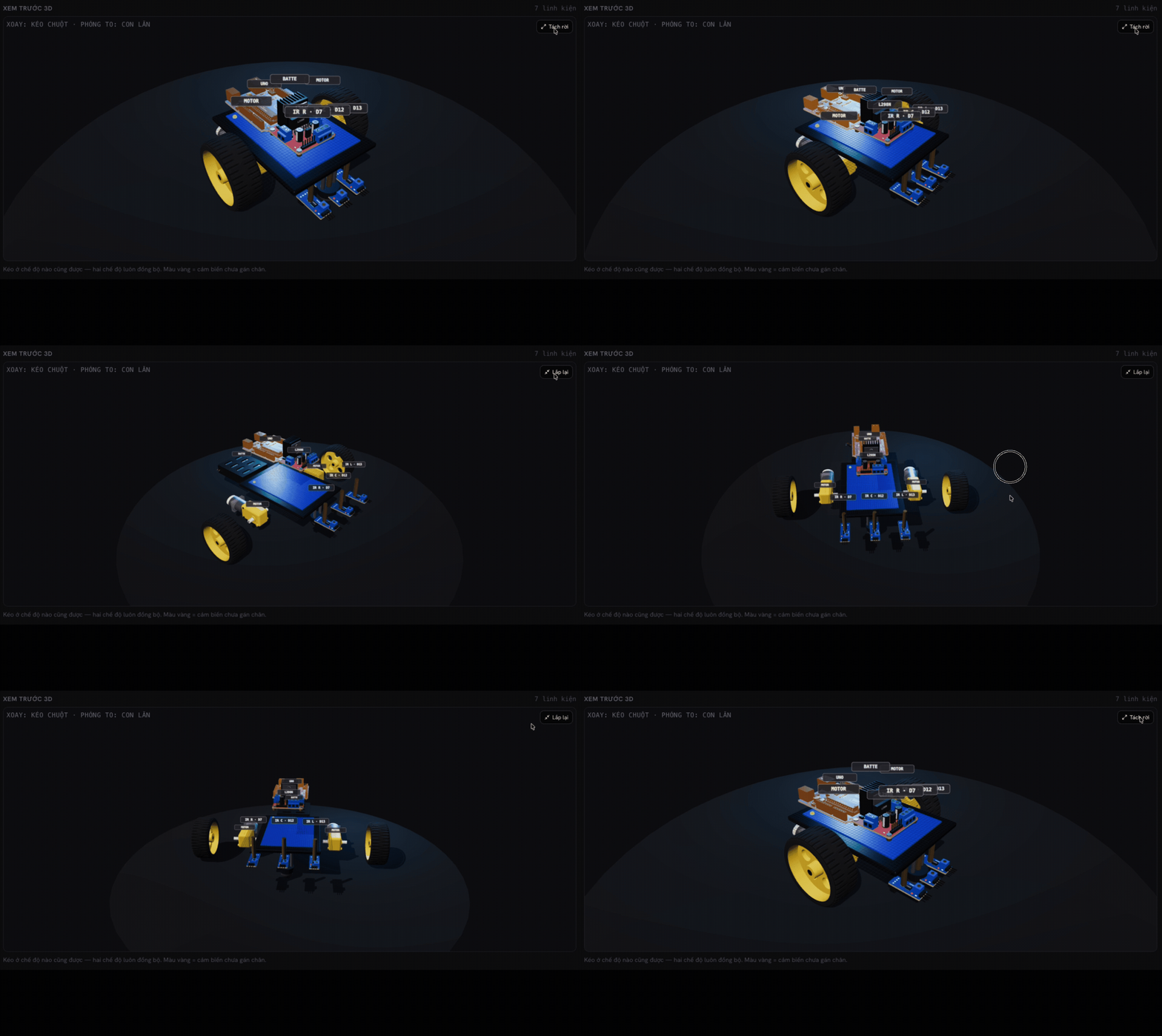
Kids learning robotics hit an invisible wall: wiring diagrams are 2D, but real robots are 3D. Going from a flat drawing to a physical robot takes spatial imagination that most 8–10-year-olds simply don't have yet, so they guess. That's why ManuStem has a 3D preview mode: before wiring a single wire, your kid gets to "hold" the robot. Rotate it, zoom into details, and read every part's name.
What your kid sees in 3D mode
Open a robot lesson, switch to 3D, and there it is: the chassis, wheels, Arduino board, ultrasonic sensor, motors. Every part in its real position. Drag to rotate, scroll to zoom. Every component carries a label: MOTOR, SERVO, pins D9, D10, D11, D12...
Three things happen in your kid's head at that moment:
- "Oh, I see." The 2D diagram suddenly makes sense. The flat drawing maps onto a real object.
- They learn part names without memorizing. See it, "touch" it with the mouse, read the name. The brain records it the natural way.
- The fear drops. The robot stops being "some complicated thing" and becomes a set of familiar parts, each with a job.
Why "look first" matters for kids
Adults learn from documentation. Kids learn from mental models. Once your kid has "seen" the robot in their head, the ultrasonic sensor at the front like eyes, the Arduino as the brain in the middle, wiring stops being blind instruction-following. They connect a wire because they understand it links the "eyes" to the "brain."
This is also how real engineers work: nobody assembles a machine without studying the 3D drawing first. Giving an 8-year-old this habit means "see the whole before building the parts" becomes instinct by the time they build real projects.
From looking to test-driving
Looking isn't enough: kids want to touch. The 3D mode has a "test drive" button: your kid drives the robot before writing a single line of code. The feeling of "it obeys me" comes first, code comes second, and that order keeps the excitement alive, because they already know what the goal looks like.
Then, when they start coding a line follower or an obstacle avoider, every line has an image attached: digitalWrite is no longer abstract text, it's "turning on the LED I just saw in 3D."
What parents can do with this mode
It's simple: tonight, open a robot lesson, switch to 3D, and quiz your kid:
- "Can you find the ultrasonic sensor for me?"
- "What do you think this one (point at the motor) is for?"
- "Guess where this wire goes?"
You don't need to know the right answers. Let them guess, rotate, and zoom to check. Fifteen minutes of this beats an hour of lectured theory.
The 3D preview is in every ManuStem robot lesson: 28 lessons from the first LED to the graduation robot, all in the browser. No kit to buy, nothing to install. Try the first 4 lessons free at stem.manusignal.com.